Personalized Email Digests
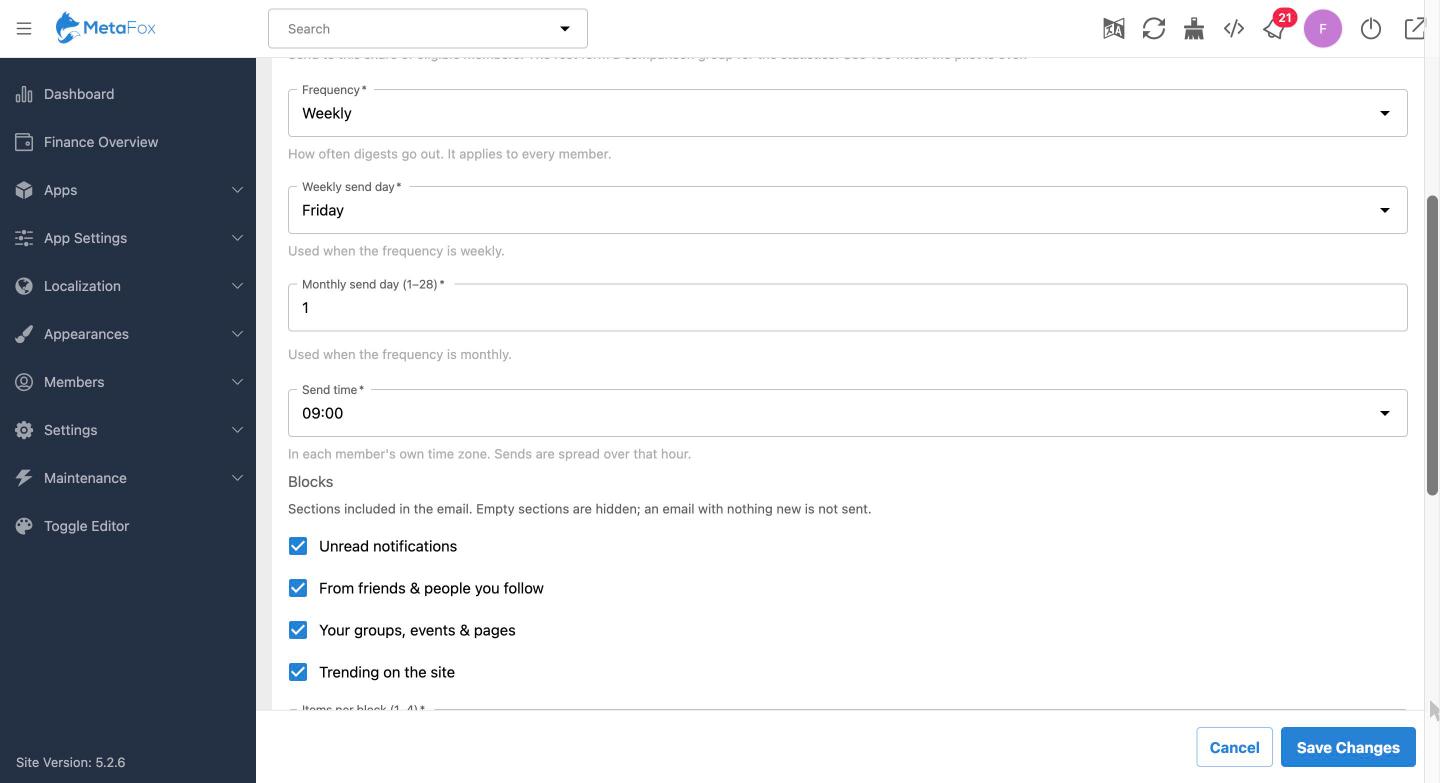
Send members a summary of new activity on a daily, weekly, or monthly schedule. Weekly digests can be assigned a send day, and monthly digests a day from 1 to 28. Delivery is scheduled for each member’s local time, with sends spread across the selected hour.
Configurable Content Sections
Administrators can choose which sections to include:
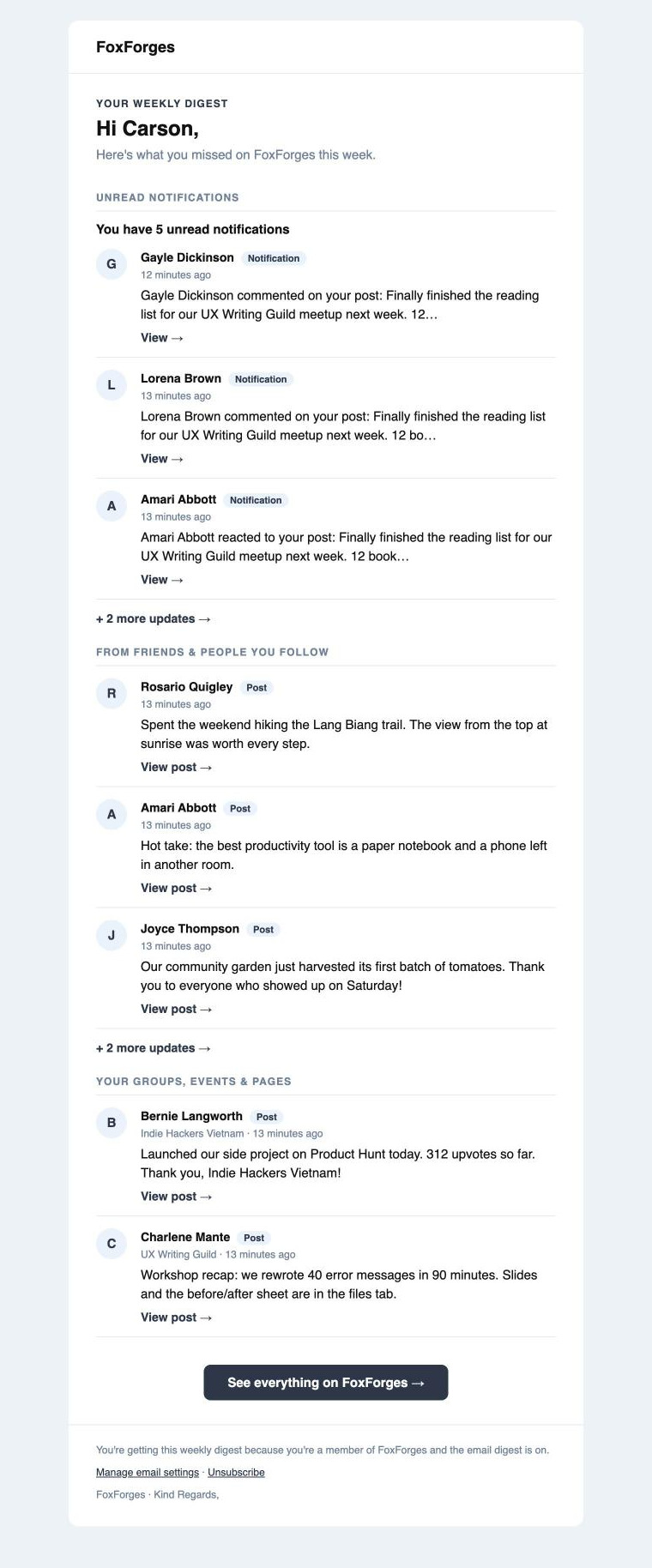
- Unread notifications: likes, comments, friend requests, and other unread notifications.
- From friends and people you follow: new posts from those members.
- Your groups, events, and pages: posts from the member’s groups and pages, plus upcoming events.
- Trending on the site: popular public posts from the period.
Administrators can set the number of items shown in each section. Empty sections are hidden, and links let members view additional updates on the site.
Privacy-Aware Content
Digest items are checked against the recipient’s access to that content. Members only see content they are permitted to view on the site. Optional Friend, Follow, Group, Page, and Event apps contribute content when installed and active.
Audience and Delivery Controls
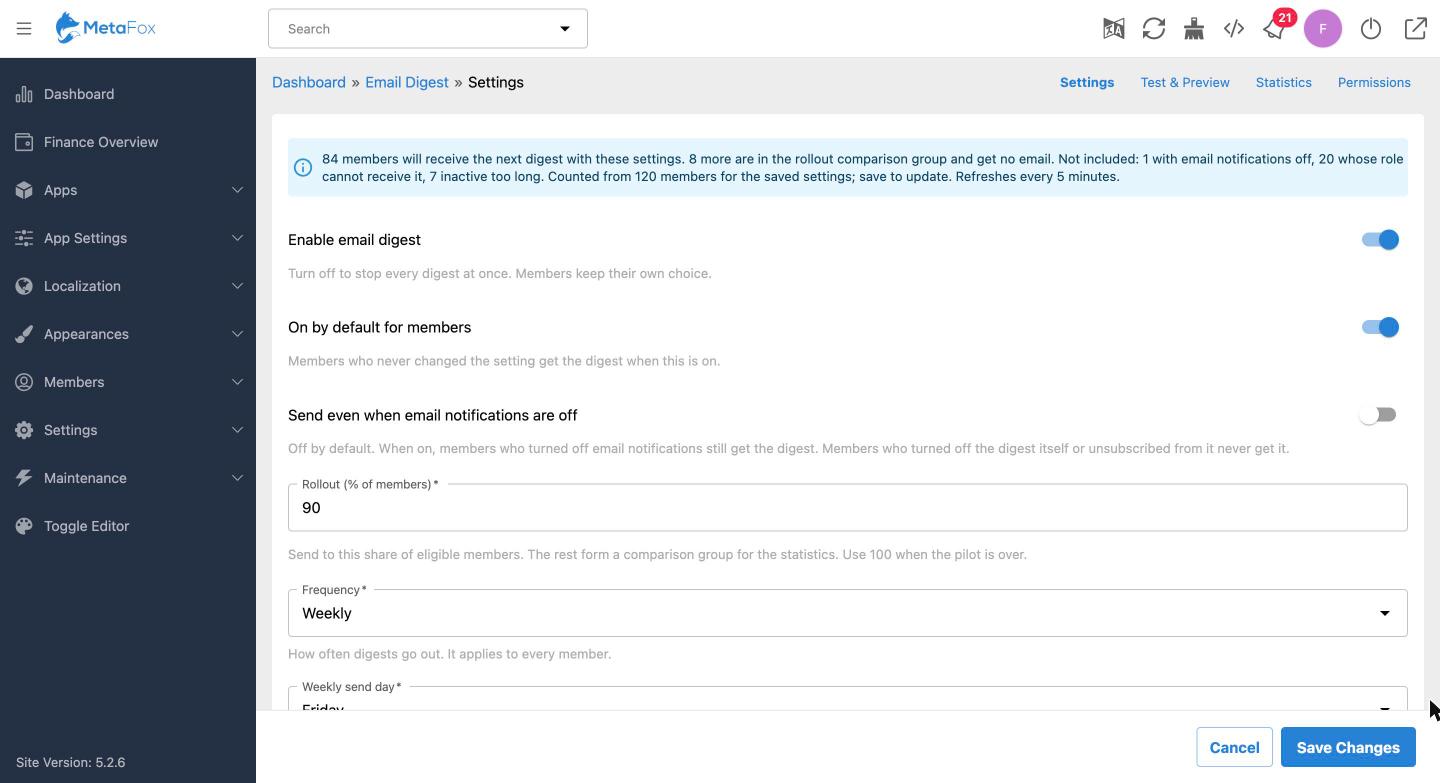
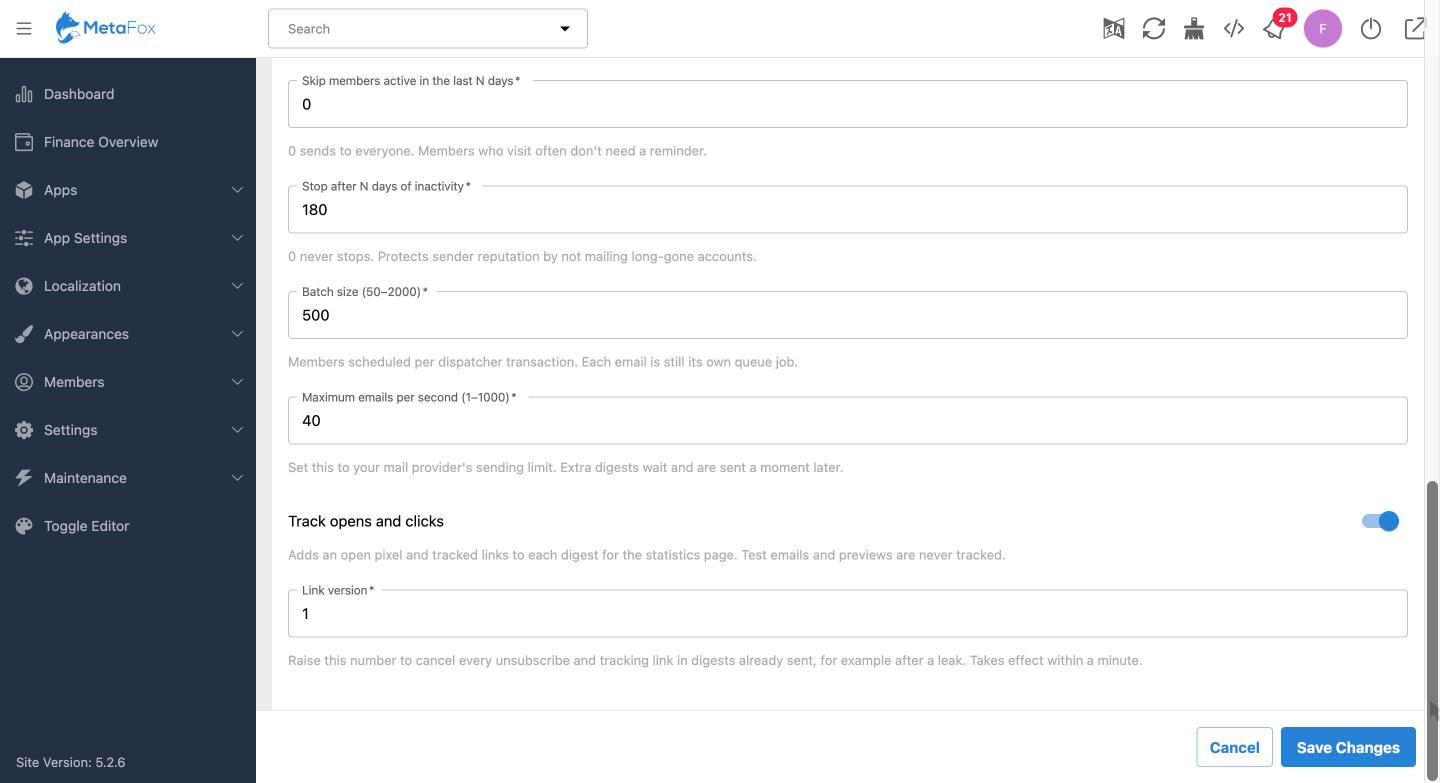
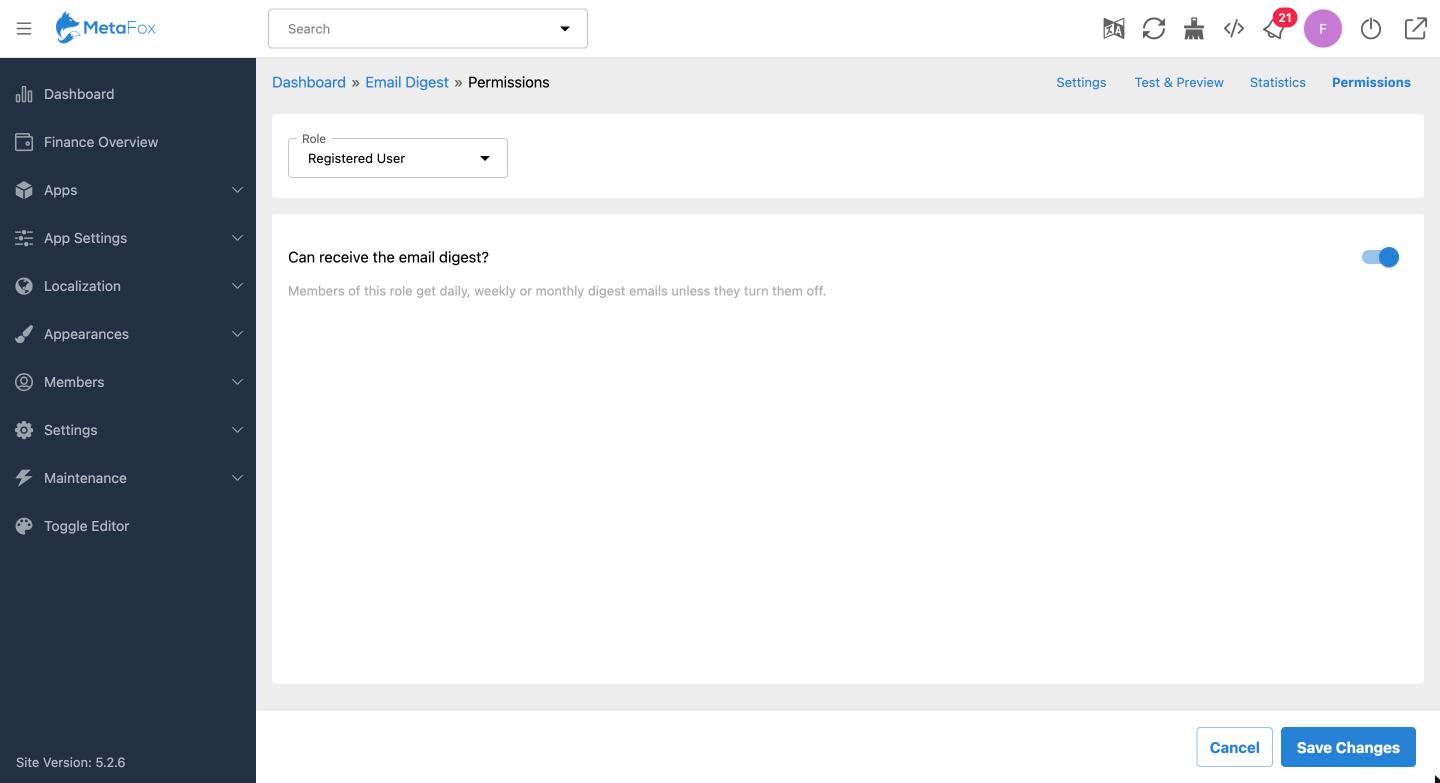
Administrators can enable or pause digests site-wide, set whether the digest is on by default, and choose whether it can be sent when a member has disabled other email notifications. Role permissions and activity rules help determine eligibility, including options to skip recently active members or stop sending to long-inactive accounts.
An audience count shows how many members the saved settings reach and why other members are excluded. A rollout percentage can reserve a consistent holdout group for comparison.
Test and Preview
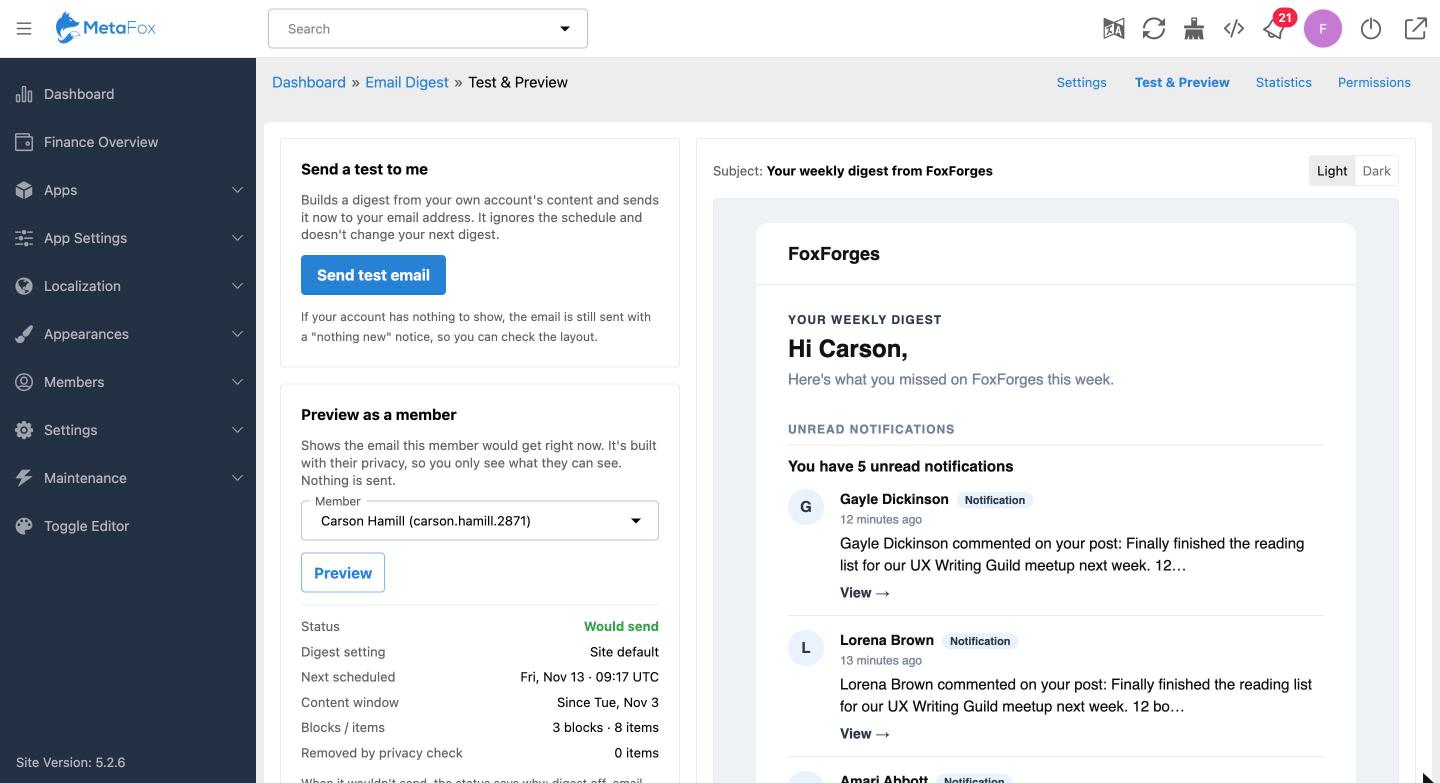
Send a test digest to yourself or preview what a selected member would receive. The preview uses that member’s privacy settings and does not send an email. It also shows the delivery status, next scheduled send, covered content period, included blocks and items, and content removed by privacy checks.
Member Preferences and Unsubscribe
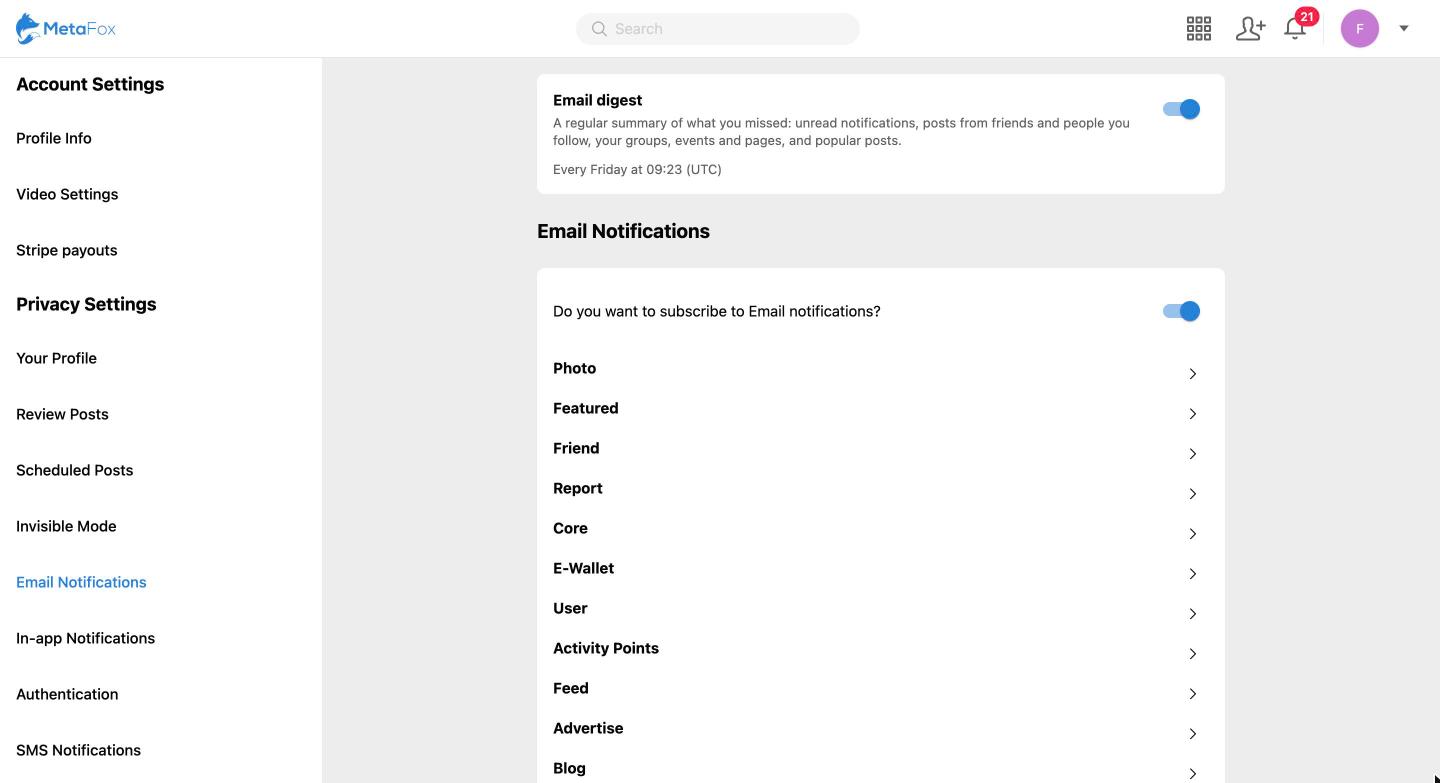
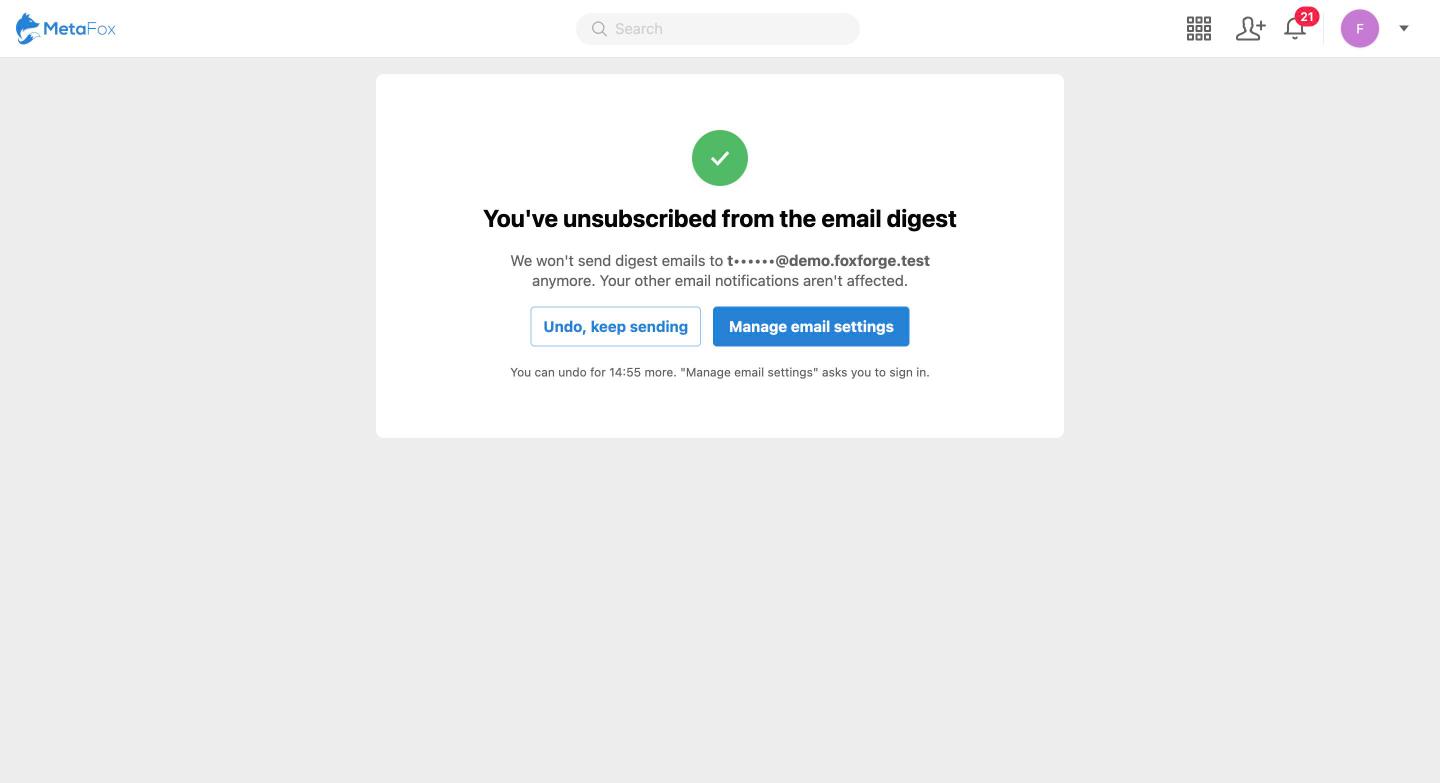
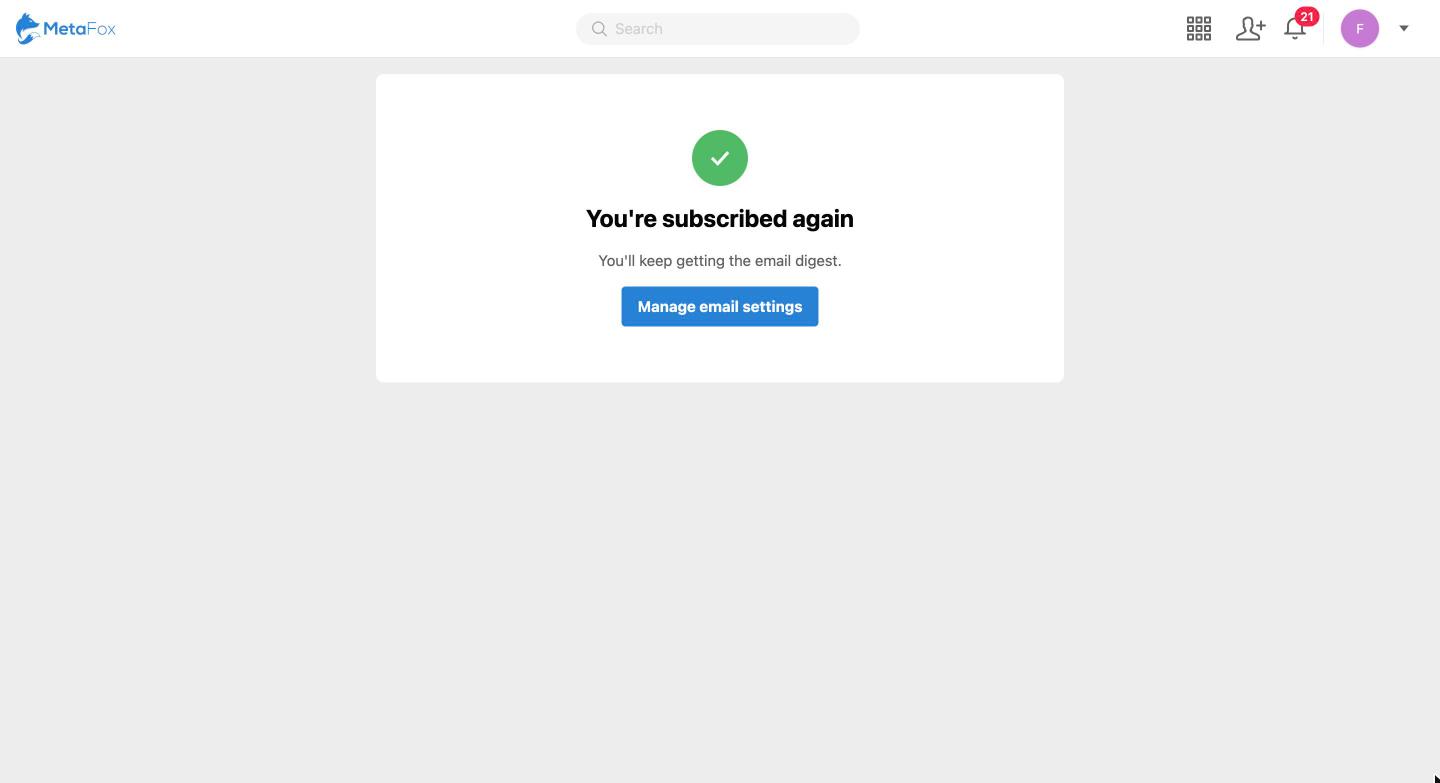
Members can manage the digest from Settings › Email Notifications and see when the next digest is due. Every digest includes an unsubscribe link that turns off the digest without requiring sign-in. Members can undo the change for 15 minutes or turn the digest back on in their settings. Other email notifications are unaffected.
Statistics and Return Comparison
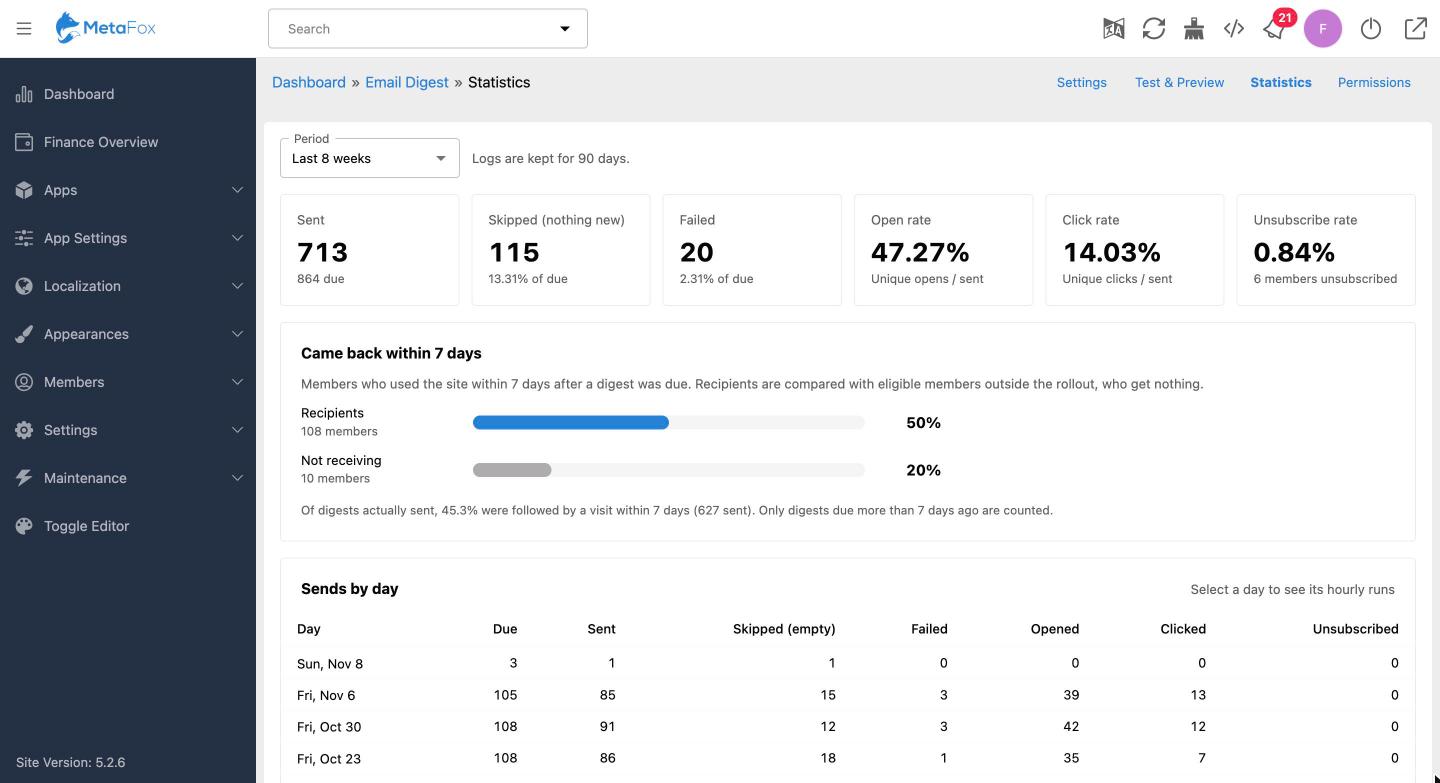
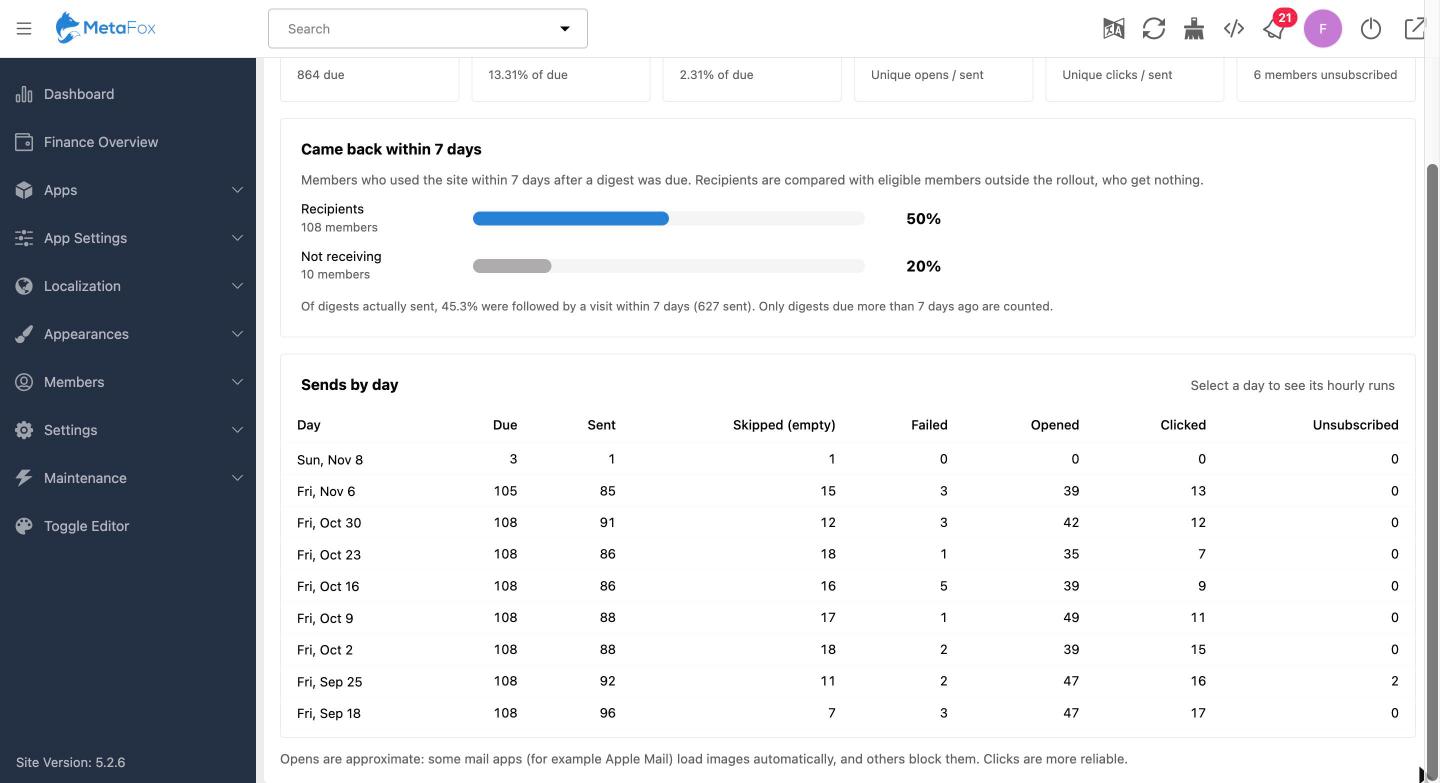
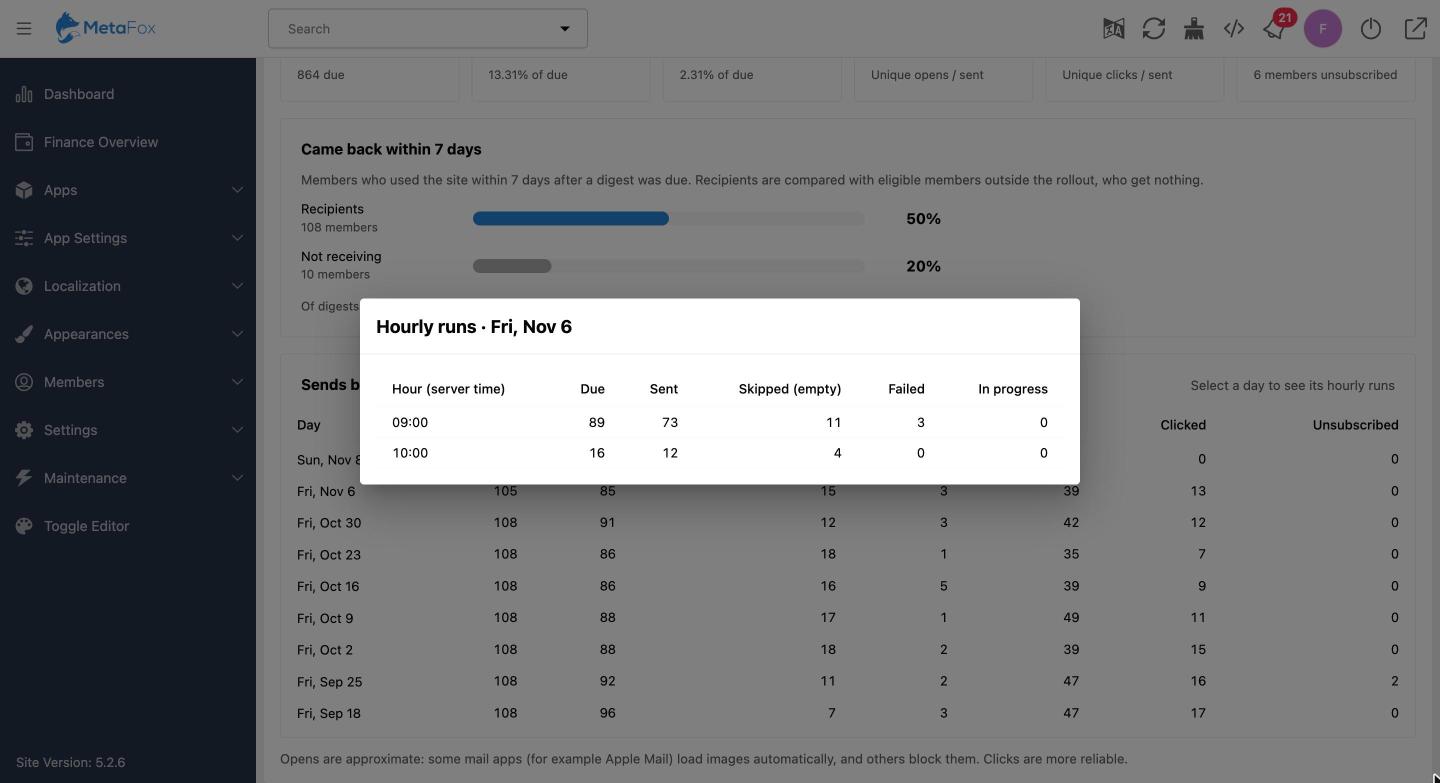
Review sent, skipped, and failed digests, along with open, click, and unsubscribe rates. Statistics can be viewed by day and by hourly run. Compare return visits within seven days for recipients and the holdout group to help assess the rollout. Open rates are approximate because email apps handle image loading differently.
Email Design and Delivery
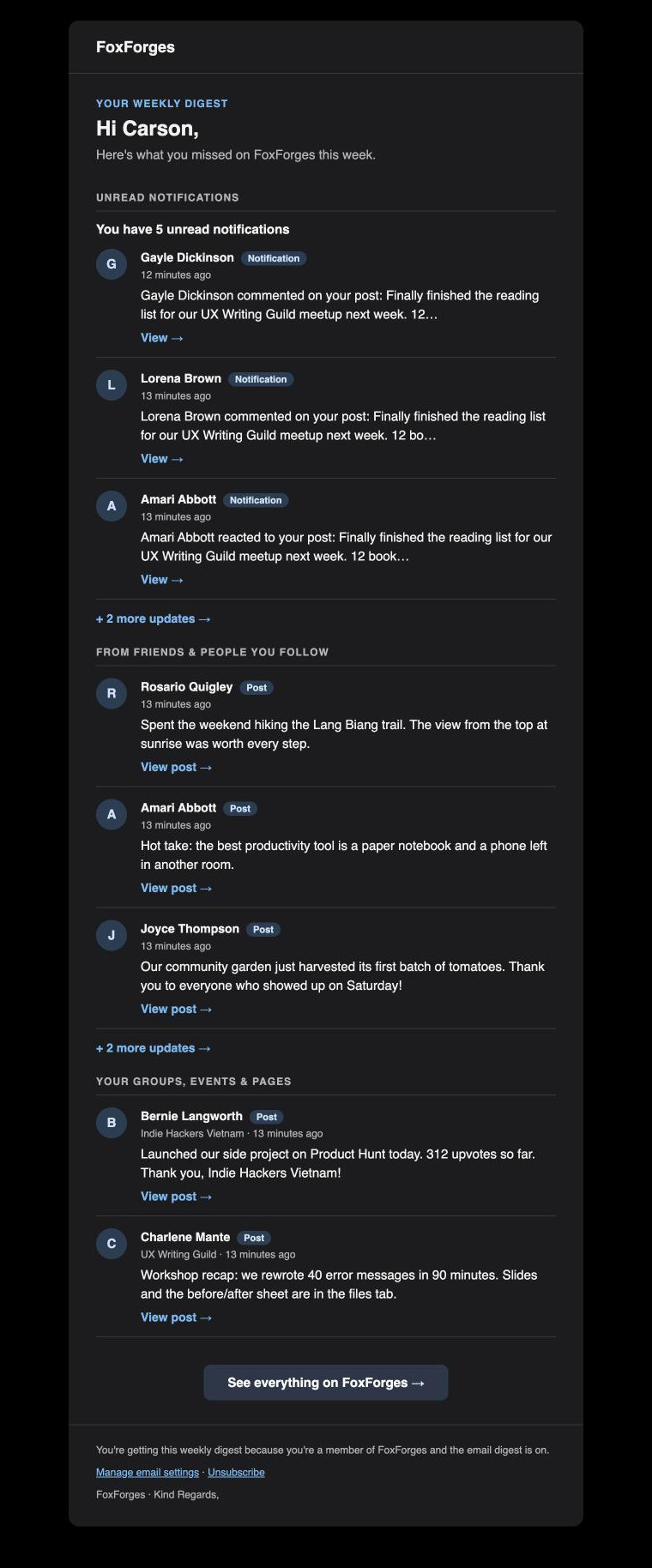
The digest includes light and dark designs, uses the site’s mail branding, and automatically supports dark mode in compatible email apps. Standard one-click unsubscribe headers are included. Digests run through the MetaFox queue worker and scheduler.