Interactive Social Circles
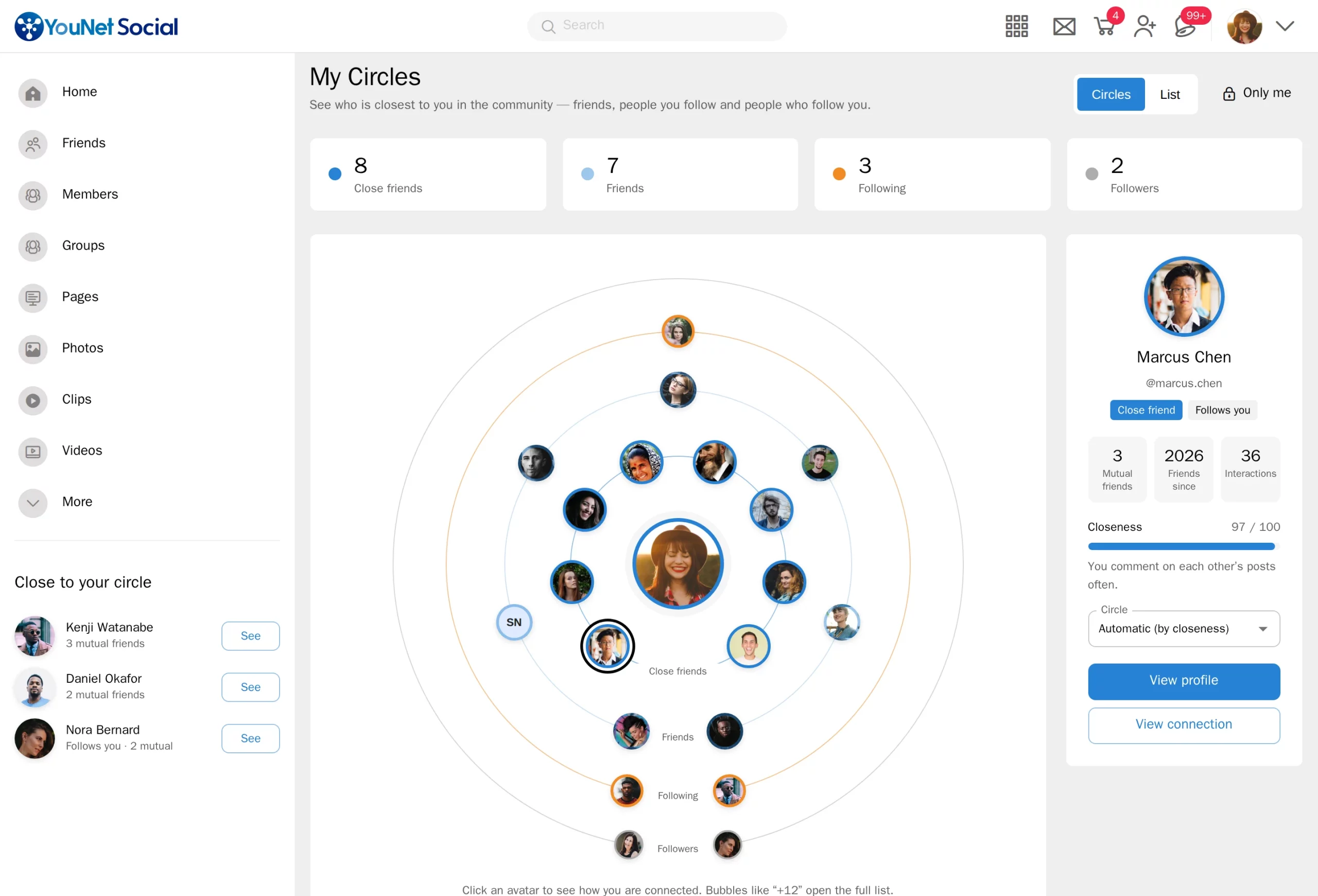
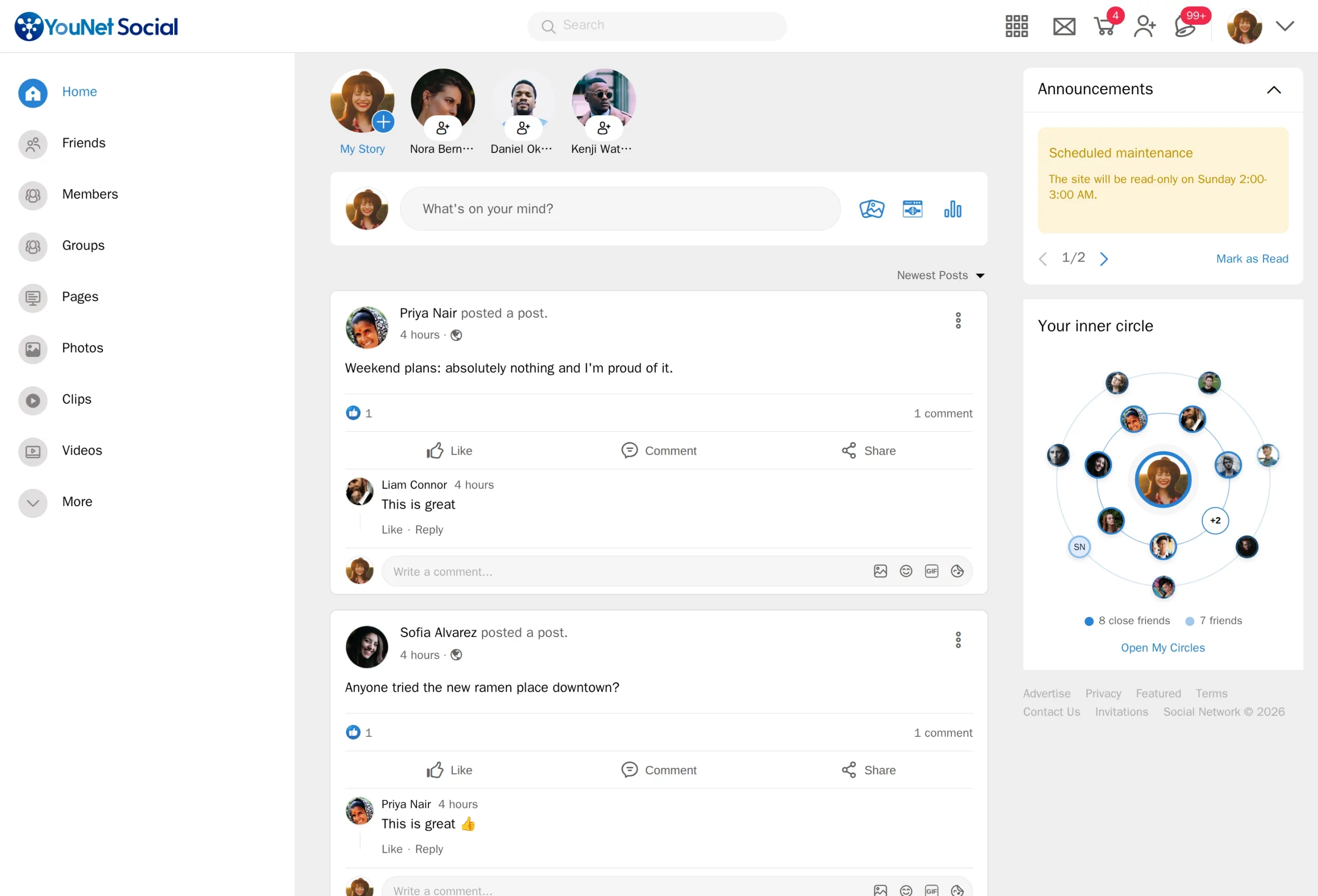
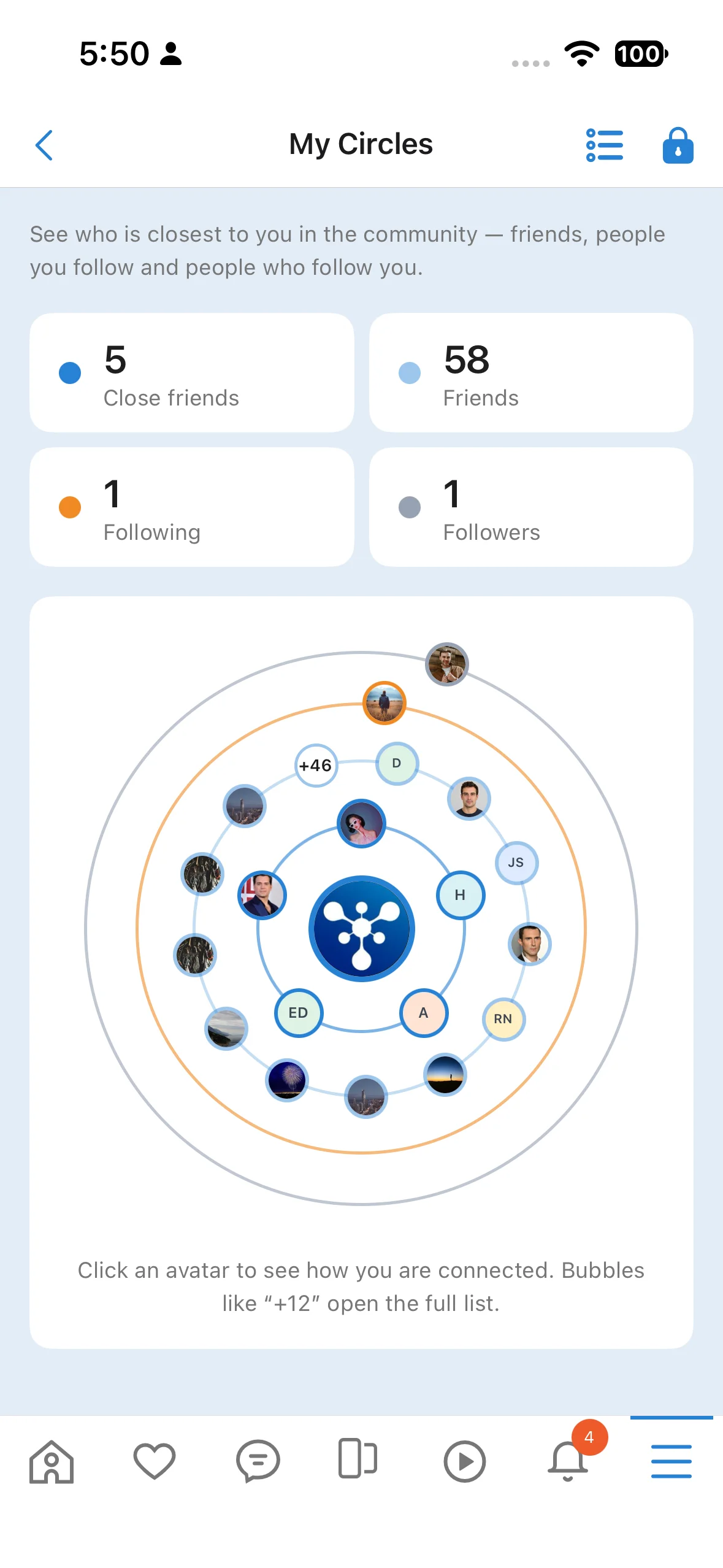
Give members a visual representation of their personal network through four interactive relationship circles:
- Close Friends: Friends with whom members interact most frequently.
- Friends: Other friends within their personal network.
- Following: People they choose to follow.
- Followers: People who follow them.
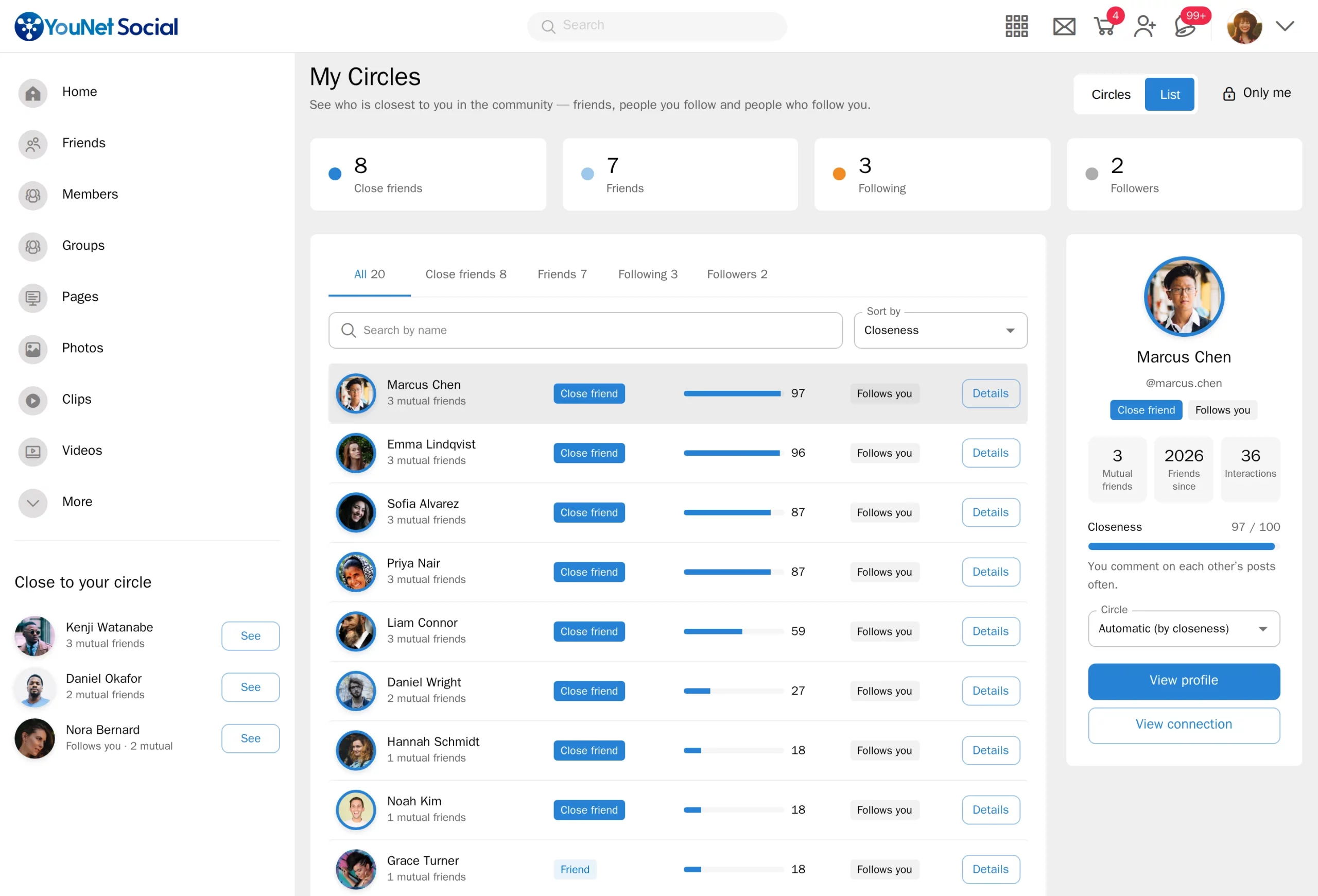
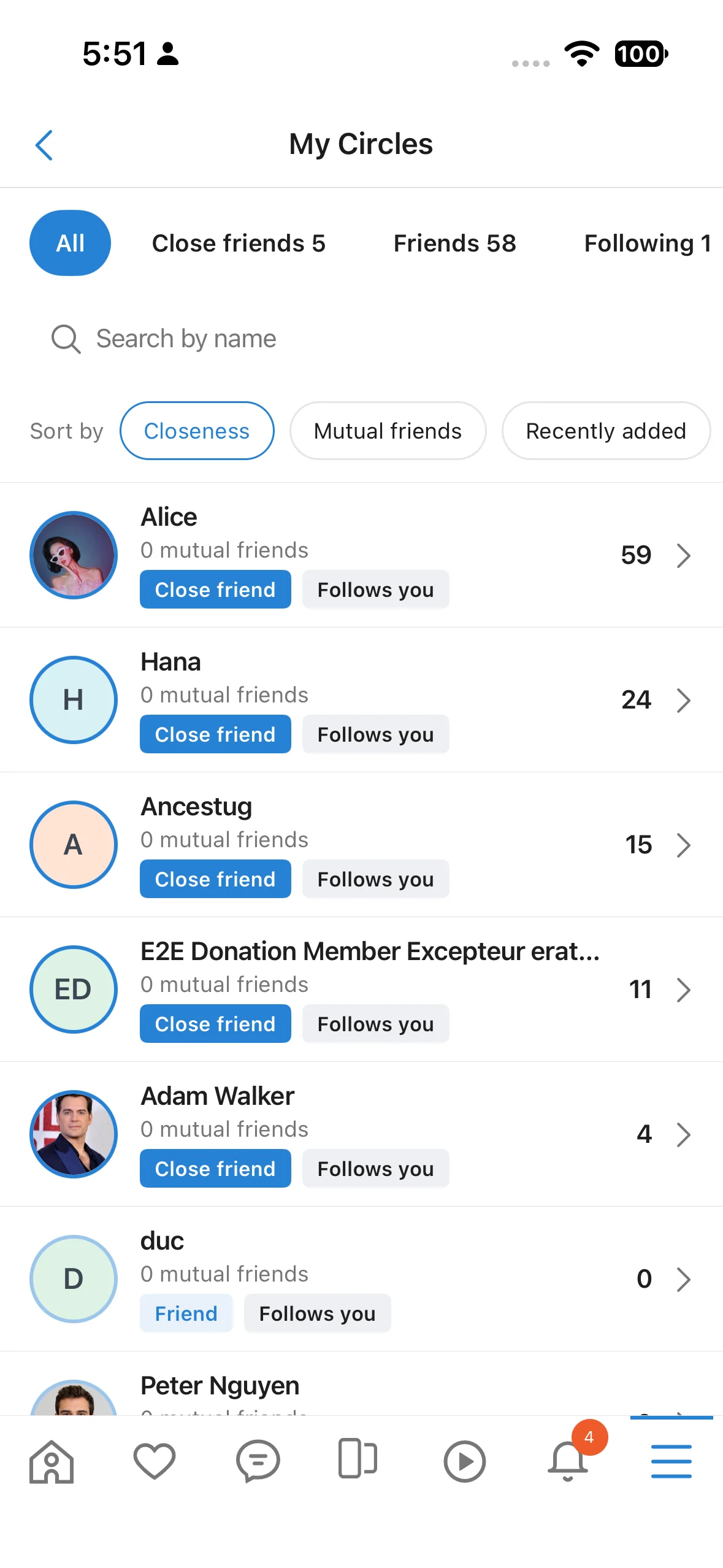
Members can explore each circle, select individual profiles, view relationship details, and access their complete connection lists.
Interaction-Based Relationship Ranking
Automatically identify meaningful relationships based on existing community interactions, including:
- Reactions
- Comments
- Shares
The app calculates a personalized closeness score based on interaction frequency, configurable scoring weights, and a defined time period.
This creates a dynamic social experience that reflects how members actually interact with one another.
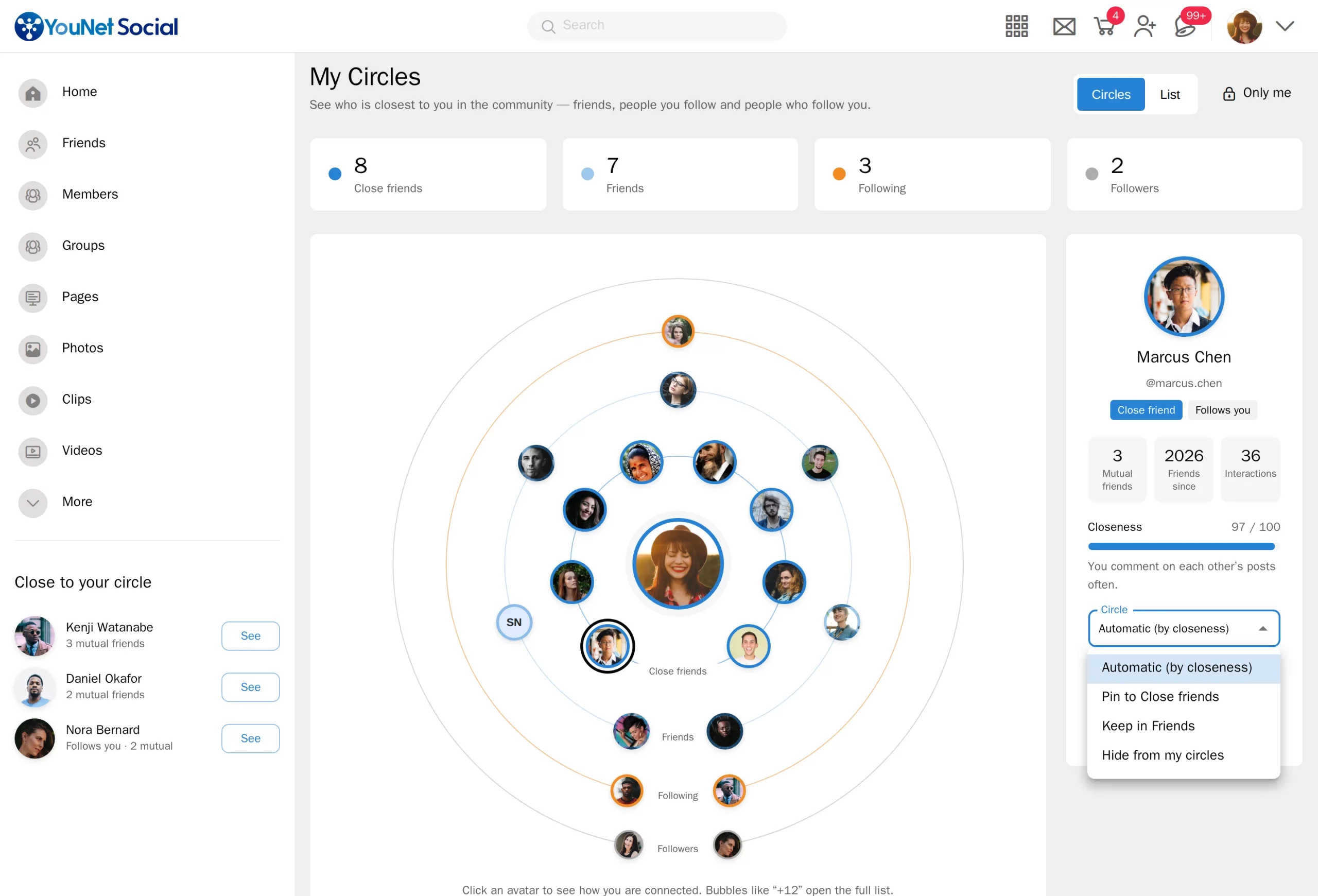
Personalized Relationship Management
Give members greater control over how their personal connections are organized.
Members can:
- Pin selected friends to their Close Friends circle.
- Keep specific connections outside their Close Friends circle.
- Hide individual members from their circles.
- Restore automatic relationship ranking.
- Explore connections through searchable and sortable lists.
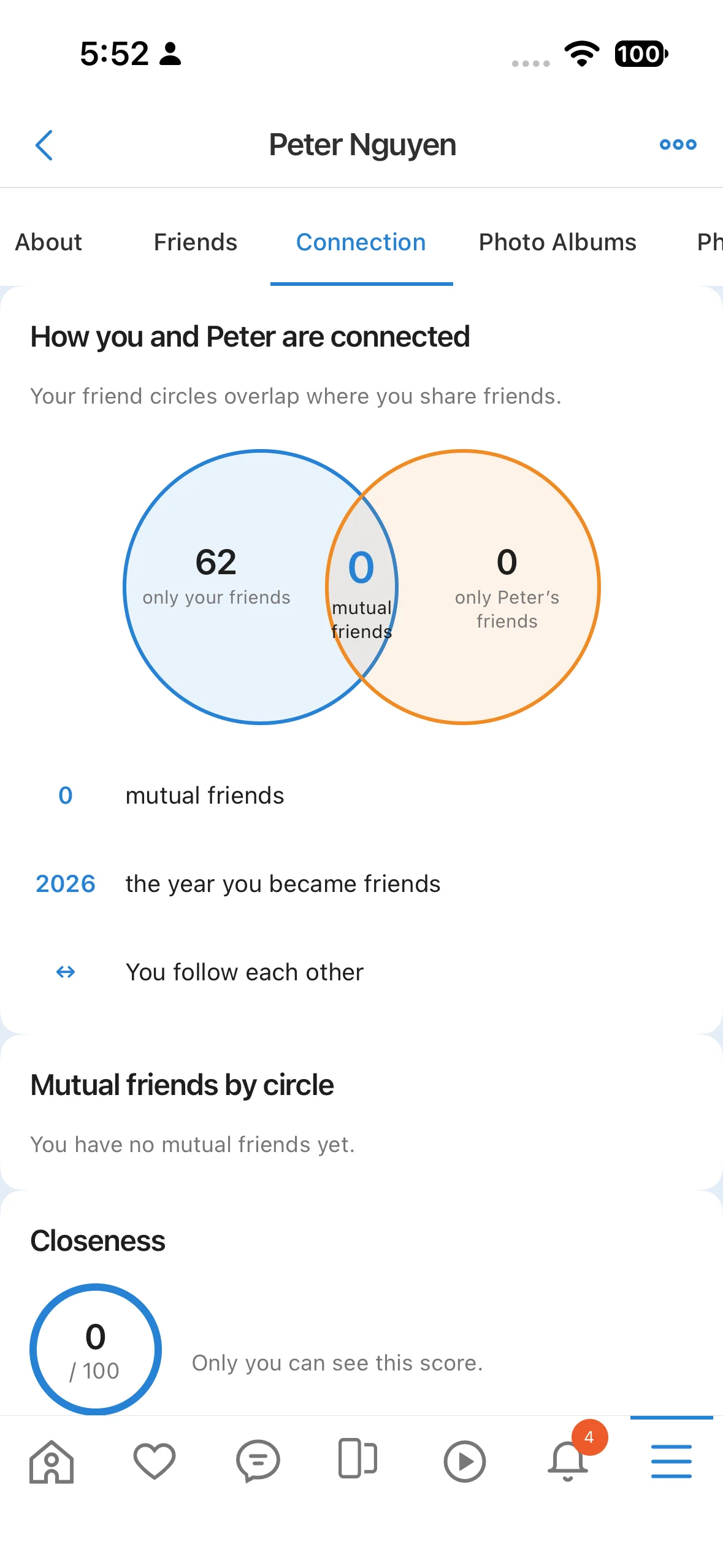
Discover Mutual Connections
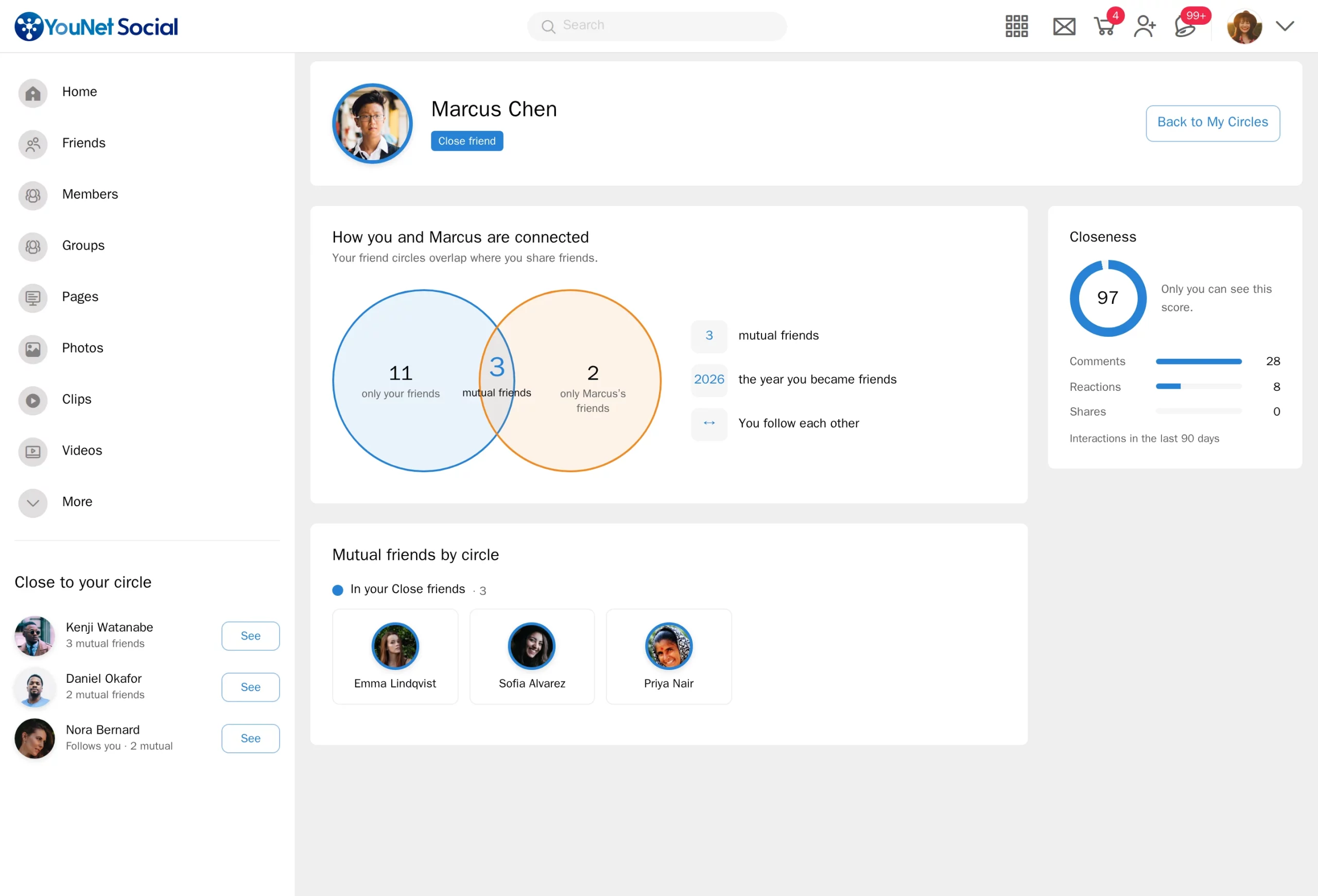
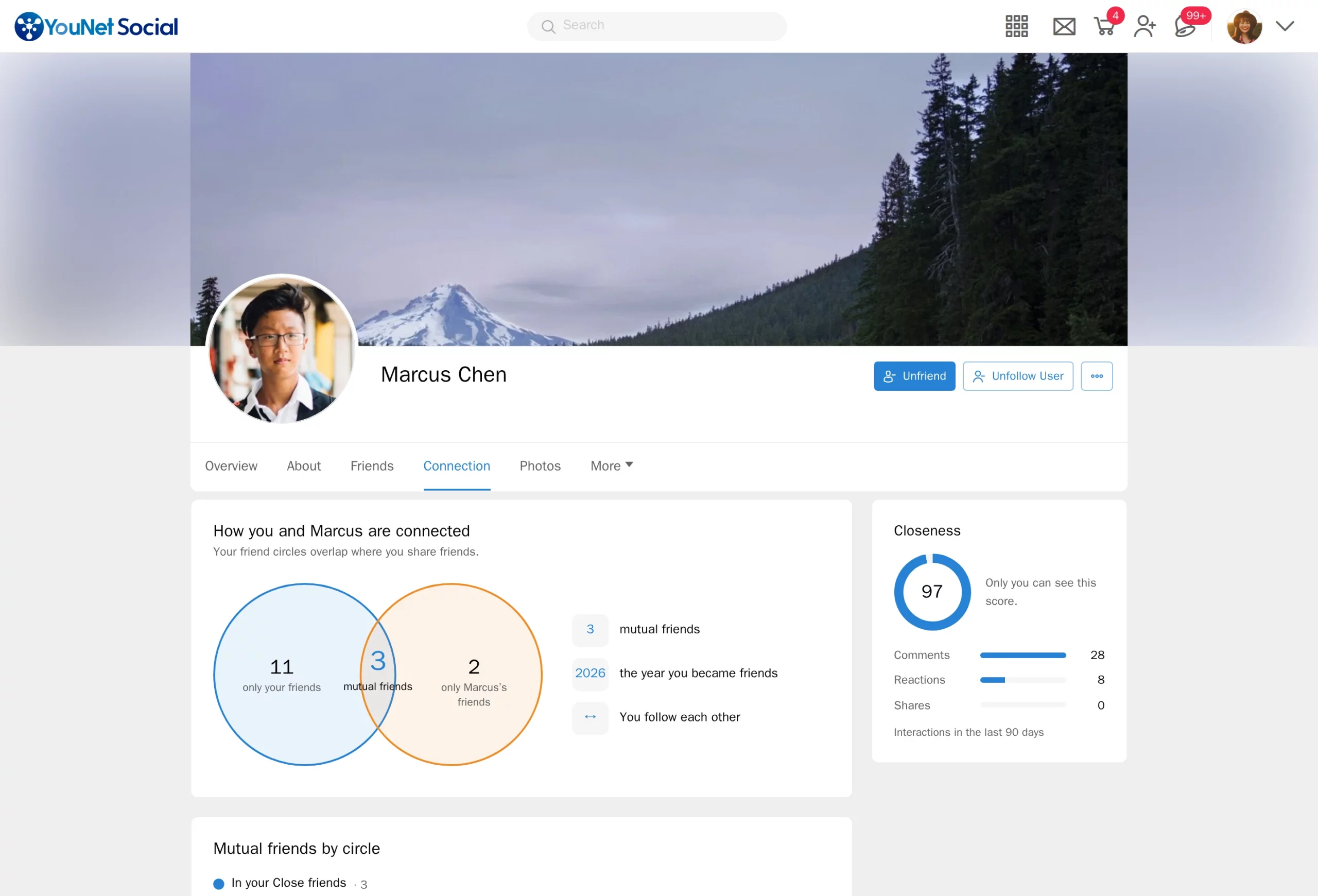
Help members understand how they are connected through a dedicated Connection tab on member profiles.
Members can discover:
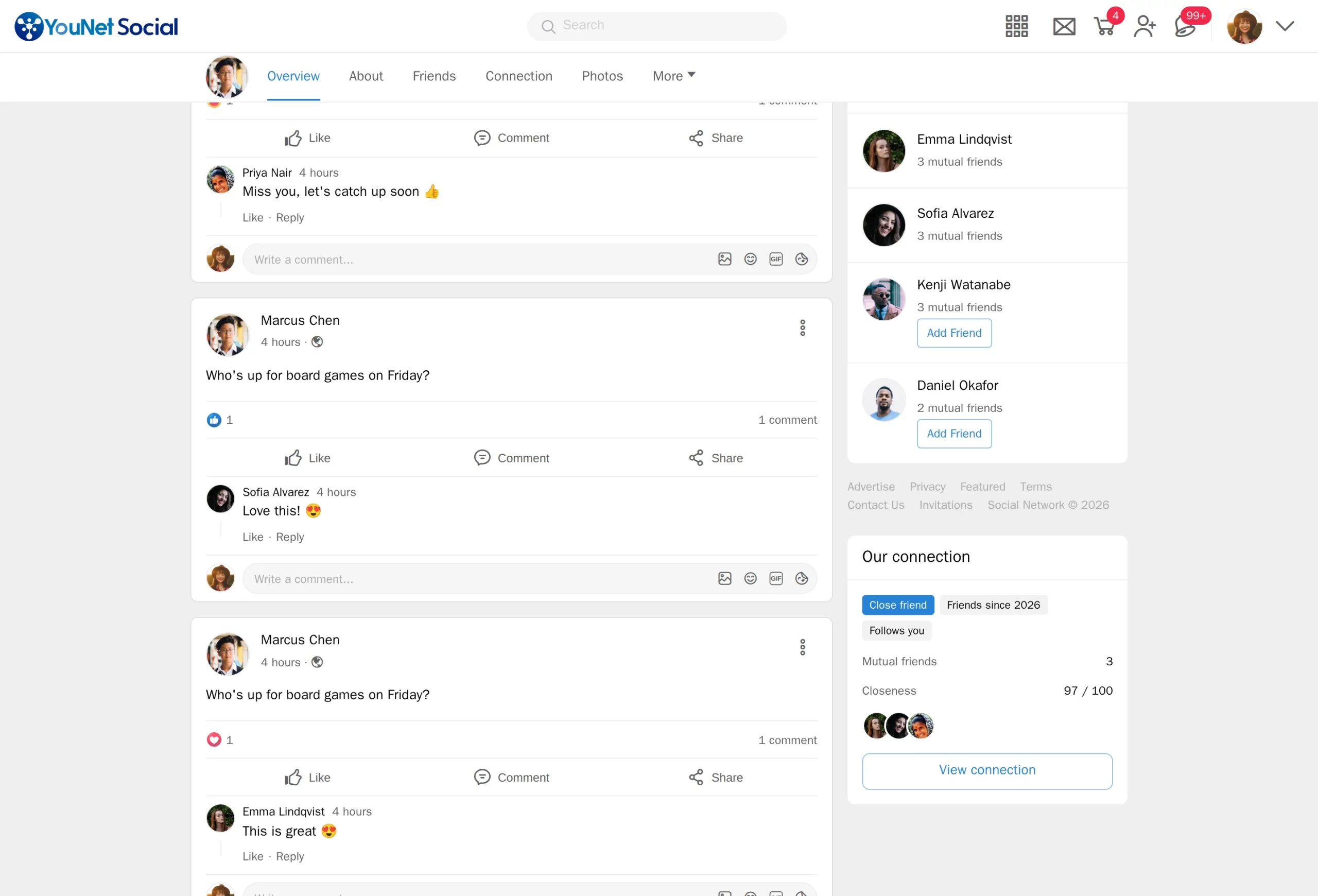
- Mutual friends and shared connections.
- How long they have been friends.
- Following and follower relationships.
- Their private relationship closeness score.
- Connection paths through mutual friends.
These insights help members discover common connections and create new opportunities for meaningful social interactions.
Community Discovery & Engagement
Encourage members to expand their social networks through three dedicated blocks that can be placed using the Layout Editor:
- Your Inner Circle: Display a personalized preview of a member's closest connections.
- Our Connection: Highlight shared relationships and mutual connections on member profiles.
- Close to Your Circle: Suggest friends of friends based on shared connections.
These blocks help make social discovery a natural part of the community experience.
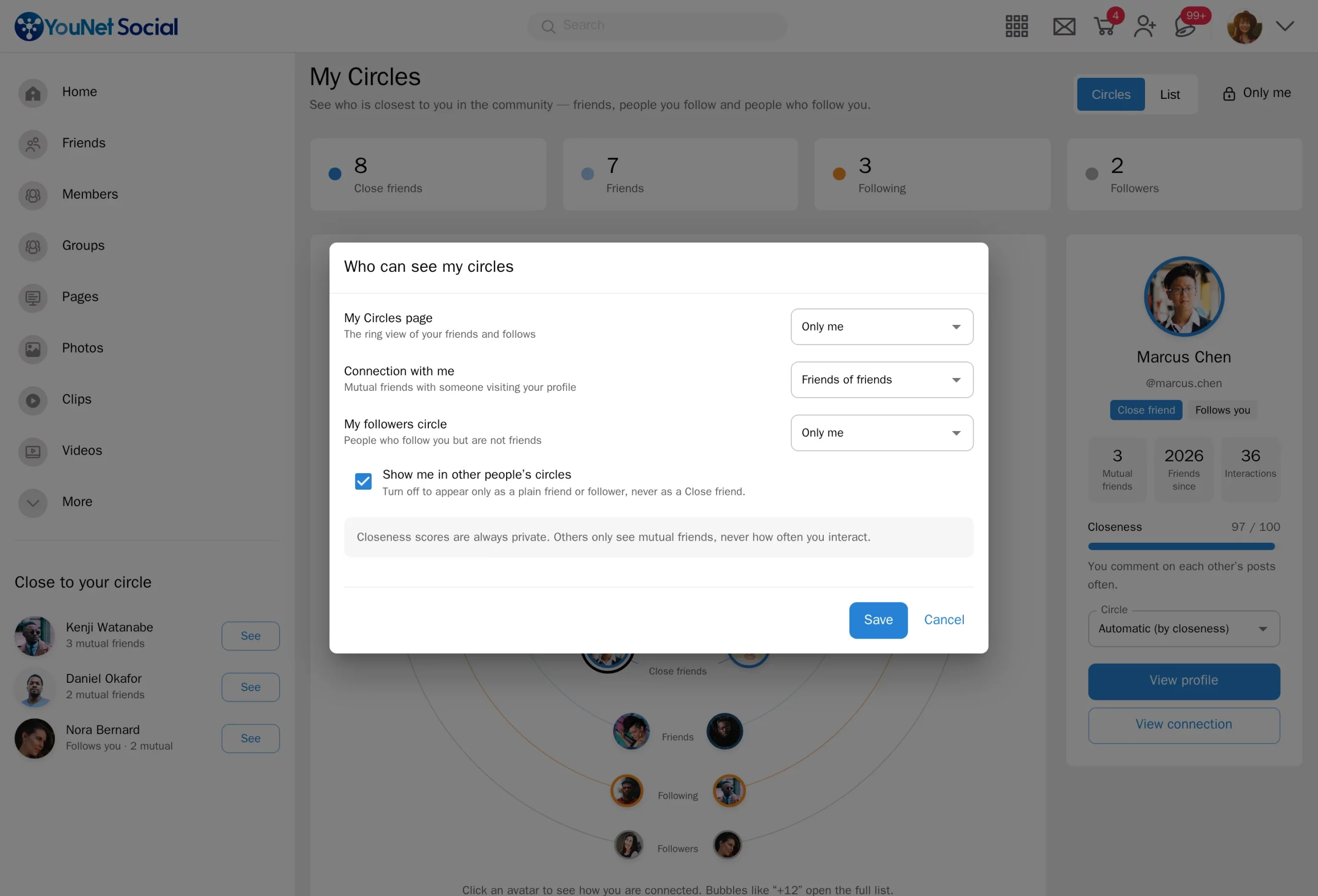
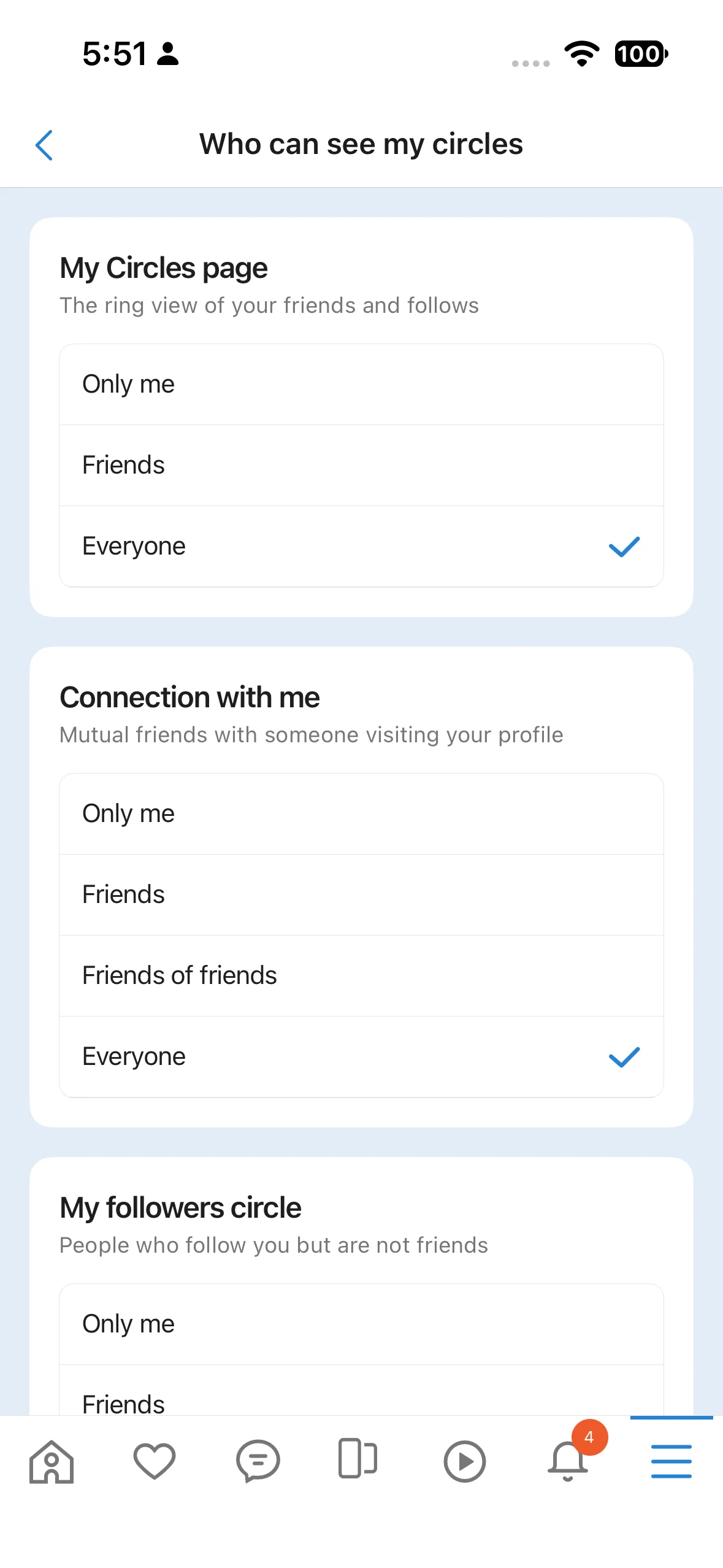
Advanced Privacy Controls
Social Circles is designed to respect member privacy while encouraging social engagement.
Members can control:
- Who can view their social circles.
- Who can view their connection information.
- Who can view their followers.
- Whether they can appear as another member's close friend.
Individual closeness scores remain private and are visible only to the respective member. Close Friends and Friends are displayed as a combined friend circle to other viewers, protecting personal relationship preferences.
Flexible Administration
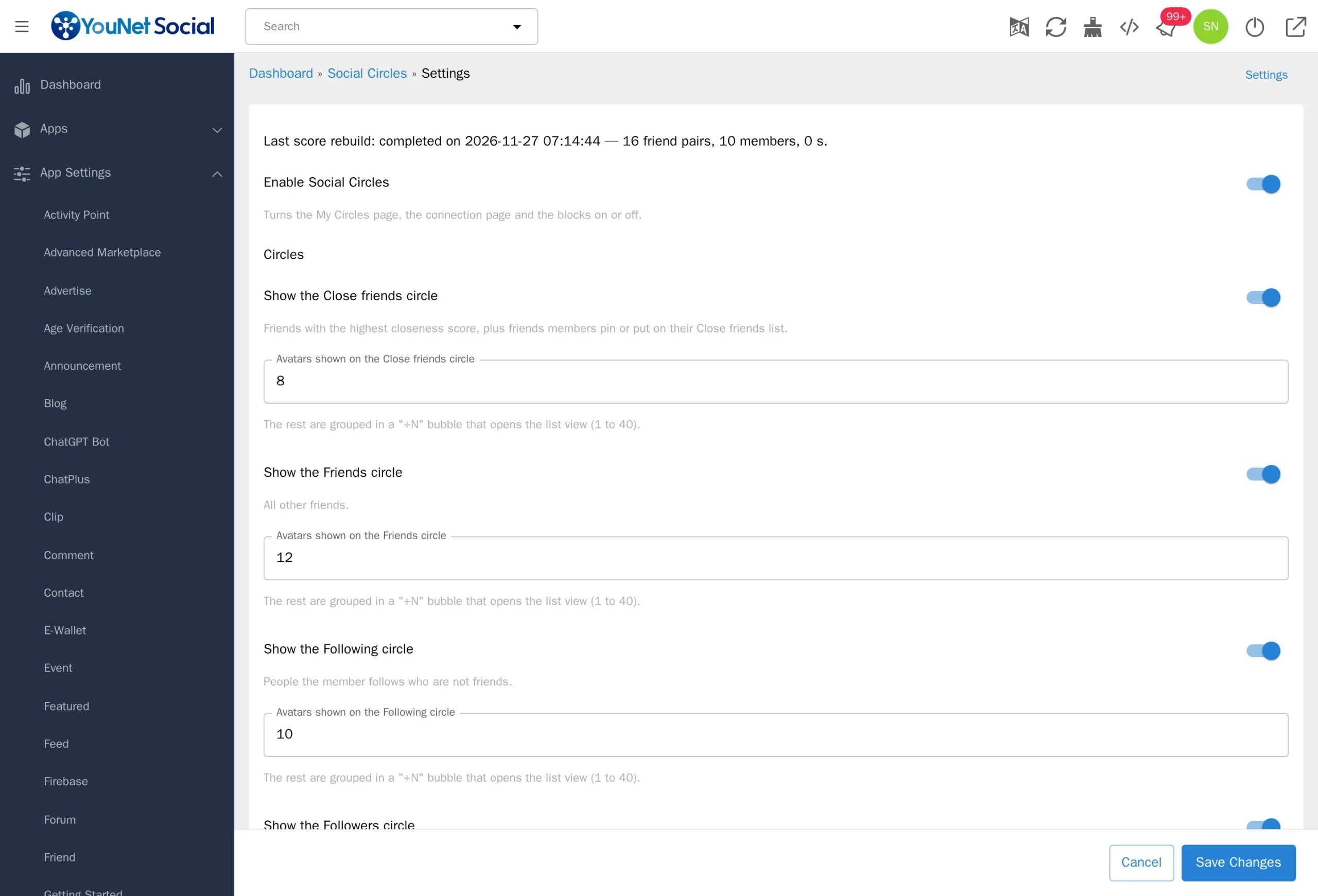
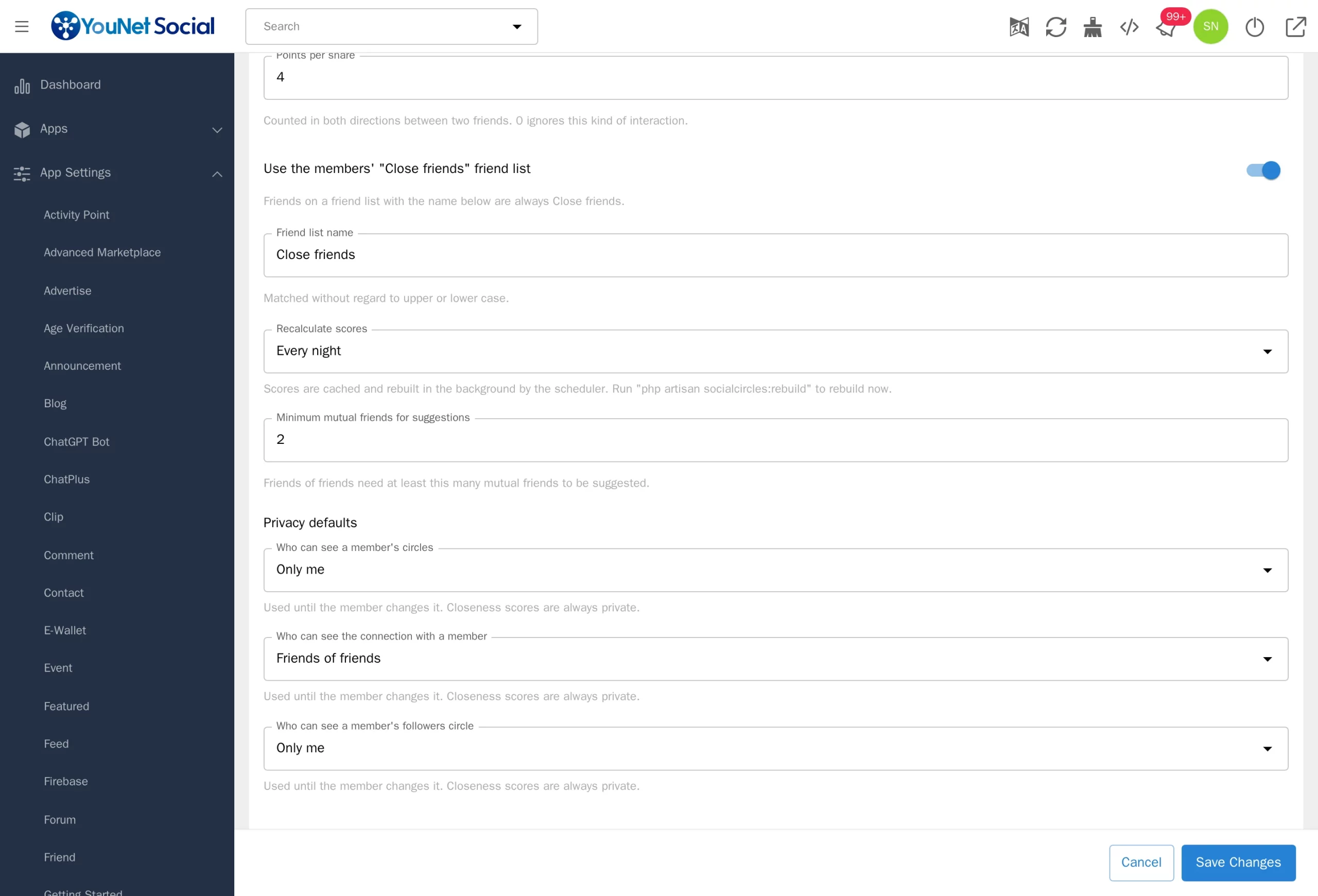
Administrators can customize Social Circles to match the needs of their community through AdminCP.
Available configurations include:
- Enable or disable individual relationship circles.
- Configure the number of displayed avatars.
- Define the size of the Close Friends circle.
- Customize scoring weights for reactions, comments, and shares.
- Configure interaction analysis periods from 7 to 365 days.
- Set default member privacy preferences.
- Configure mutual-friend thresholds for connection suggestions.
- Schedule automatic relationship score updates.
Performance & Seamless Integration
Social Circles works with existing phpFox community data without requiring members to create additional content.
Relationship scores are cached and updated through scheduled background processes, helping maintain performance as the community grows.
The app also supports:
- Responsive layouts for desktop and mobile web browsers.
- Light and dark themes.
- Active theme colors and styling.
- Translatable language phrases.
- Integration with existing Friend, Follow, Like, Comment, and Activity apps.


 Sale 20%
 Sale 5%
 Sale 20%